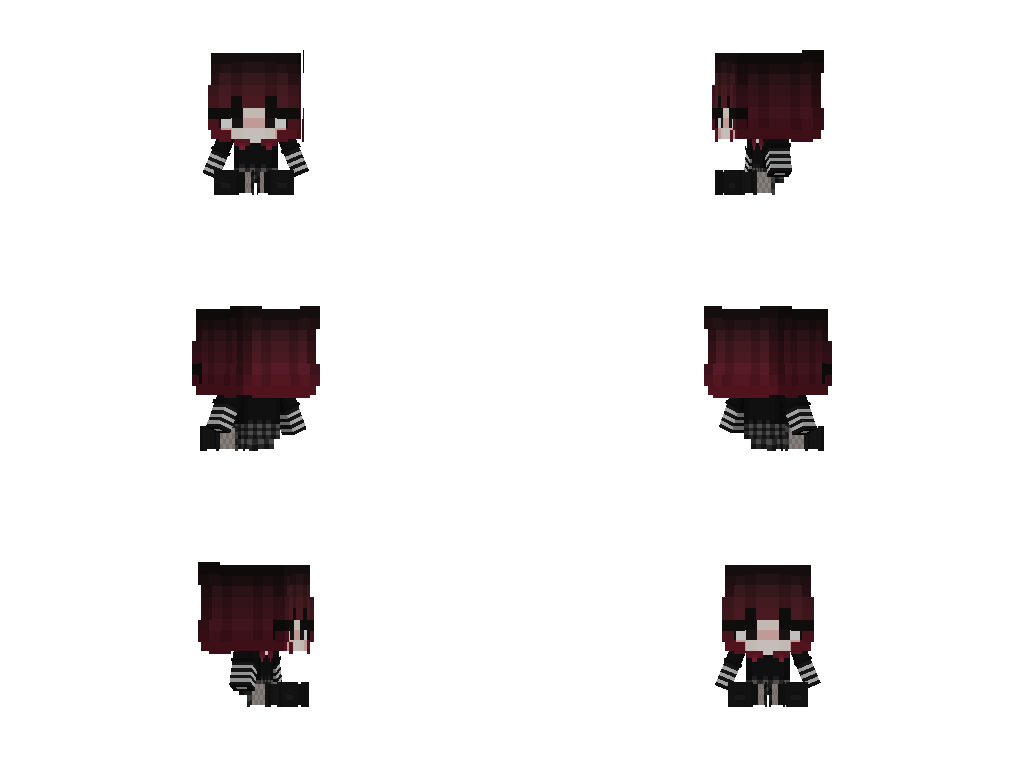

VoodooDoll Custom
Resource PackA resource pack that changes the totem of undying into a plush toy version of the player's model. This is the Vanilla Custom edition of this resource pack.
DecorationItemsModdedModelsVanilla-like
910 downloads
11 followers
VoodooDoll
A resource pack that changes the totem of undying into a plush toy version of the player's model. No mods required!
Comparision between versions
Vanilla Custom:
Pros:
- all totems can be made unique (perfect for multiplayer)
- supports both the slim and wide player models
Cons:
- works only on Minecraft 1.21.5 and up
- a bit complicated to customize
Vanilla Wide/Slim:
Pros:
- works with very old versions of Minecraft, from 1.11.0 and up
- easy to customize
Cons:
- every totem of undying will look the same (good enough on single-player)
- only supports either the slim or wide player models
You can use Vanilla Custom edition and either Vanilla Wide or Vanilla Slim edition alongside each other, if so desired.
How to customize
By default, the resource pack only comes with textures of Steve and Alex, so if you want to use your own skin, or someone else's skin, you will have to follow these instructions.
- Extract the content of the resource pack from the ZIP.
- Go to
assets/minecraft/textures/item/totem_of_undyingfolder. - Copy your desired user's skin texture into the folder and rename it to
<name>.png. (replace the<name>part with whatever name you want, can be an in-game username) - Now, navigate to
assets/minecraft/models/dollfolder. - Make a copy of either the
alex.jsonorsteve.jsondepending on the width of the skin's arms, and rename it to<name>.json(the same name you used for the skin texture). - Open the JSON file with a text editor and replace the mention of
"alex"or"steve"with"<name>". - Then, go to
assets/minecraft/itemsand open thetotem_of_undying.jsonfile with a text editor. - Either replace the
steve/alexwith<name>and"Steve"/"Alex"with the name that will trigger turning the totem into a doll, or use that as a template for new cases (Warning: you can't add multiple trigger names to the same case, you need to create a separate case for that) - Repeat the entire process when making it for more than one person.
- Package the content of the resource pack back into ZIP.
- Done. Have fun :3
Instructions for VoodooDoll CIT (discontinued)
Warning: These instructions only apply to VoodooDoll CIT v1 and v2. For VoodooDoll Custom, follow the instructions above.
- Extract the content of the resource pack from the ZIP.
- Go to
assets/minecraft/citresewn/citfolder. - Copy your desired user's skin texture into the folder and rename it to
<name>.png. (replace the<name>part with whatever name you want, can be the person in-game username) - Make a copy of either the
alex.jsonorsteve.jsondepending on the width of the skin's arms, and rename it to<name>.json. - Open the JSON file with a text editor and replace the mention of
"alex"or"steve"with"<name>". - Make a copy of any of the
.propertiesfiles (doesn't matter which one), and rename it to<name>.properties. - Open the
<name>.propertiesfile you've just created with a text editor. - Replace the
texture=andmodel=with the name of the PNG and JSON files. Thenbt.display.Name=is what will trigger the totem of undying to be the voodoo doll when you rename it in the game, so you can change it to whatever you want, as long as it fits the 50 characters limit of anvils. - Repeat the entire process if making for more than one person.
- Package the content of the resource pack back into ZIP.
- Done. Have fun :3
