
Tiny Crosshair
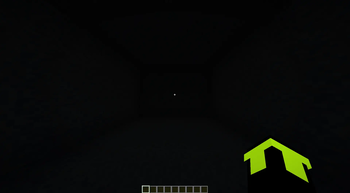
Resource PackThis Project Makes the default Minecraft crosshair smaller and cleaner for better visibility and precision. Perfect for PvP and minimal UI setups.
CombatGUIUtilityVanilla-like
76 downloads
0 followers
This is my first resource pack! I’m new to making packs, so I hope you enjoy it.
This pack replaces the default Minecraft crosshair with a smaller, cleaner version.
Tip: My GUI scale is set to 2 (second smallest in vanilla Minecraft), so the crosshair looks best at smaller GUI settings.
Note: I did not change the attack indicator background or progress bars, so they might look slightly different with this pack.
Installation:
- Locate your
.minecraftfolder (inside%appdata%). - Open the
resourcepacksfolder. - Download this pack and place it inside the folder.
- Open Minecraft and activate it from the Resource Packs menu.
- Enjoy!
This pack is simple, lightweight, and works with vanilla Minecraft. Have fun customizing your crosshair!
I may make more crosshair types in the future.
