Golden apple counter
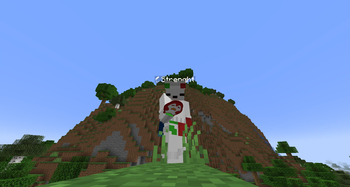
Resource PackThis texture pack changes the Golden Apple icon based on stack size. The penguin turns red from 1 to 16, orange from 17 to 32, yellow from 33 to 48, and green from 49 to 64 — instantly telling you how many gapples you or your enemy have. -Req OF/CIT-Res
Penguin Gapple Pack
Overview:
The Penguin Gapple Pack enhances your Minecraft experience by replacing the Golden Apple icon with a colored penguin that changes based on your stack size. Instead of hovering over your hotbar to check how many gapples you have, the penguin's color gives you an instant visual cue — red, orange, yellow, or green depending on the amount.
Why It's Useful in PvP:
In PvP, knowing your Golden Apple count — or your enemy's — can be the difference between winning and losing a fight. This texture pack allows you to:
- Enhanced Awareness: Instantly read your own gapple count at a glance without wasting time hovering over your inventory.
- Enemy Tracking: Spot how many gapples your opponent is holding purely through visual cues — a critical advantage in fast-paced fights.
- Improved Strategy: Adjust your combat decisions based on real-time information. Knowing your enemy is running low on gapples can completely change how you approach a fight.
Color Ranges:
- 🔴 1–16 → Red
- 🟠 17–32 → Orange
- 🟡 33–48 → Yellow
- 🟢 49–64 → Green
Requirements:
- OptiFine: Essential for enabling Custom Item Textures (CIT).
- CIT Resewn (for Fabric): Allows for dynamic texture changes based on item stack size.
Installation Instructions:
For OptiFine:
- Visit the OptiFine website and download the version compatible with your Minecraft version.
- Run the downloaded file to install OptiFine.
For Fabric (CIT Resewn):
- Go to the CIT Resewn page on Modrinth and download the version that matches your Minecraft version.
- Place the downloaded
.jarfile into your Minecraftmodsfolder.
📂 Locating the Resource Packs Folder
- Open your Minecraft Launcher and launch the game.
- Navigate to the main menu, then click Options > Resource Packs.
- Click Open Resource Pack Folder.
- Drag and drop the texture pack
.zipfile into this folder, then activate it.