

LiteVision
Mod and pluginInstant, flicker-free night vision for Paper and Fabric — lightweight, configurable, and built for modern servers and clients.
Utility
254 downloads
0 followers
🌙 LiteVision – Instant, Flicker-Free Night Vision(NEW)
A lightweight night vision solution for Paper (and forks) and Fabric.
Potion spam. Command abuse. Unnecessary overhead.
Just clean, reliable night vision with full control for servers and players.
🎯 Why LiteVision?
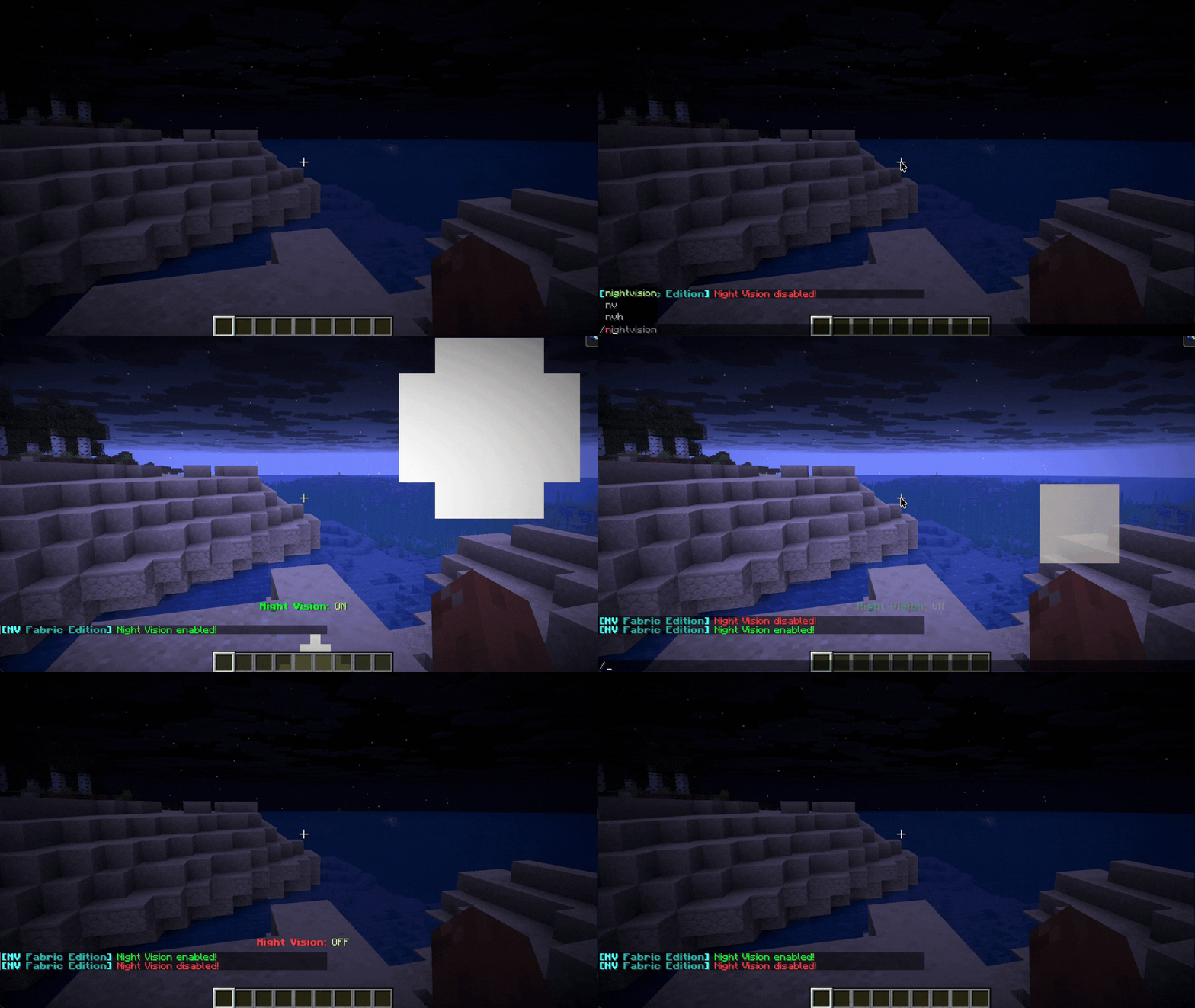
- Instant toggle – No delay or flicker
- Clean visuals – No clunky potion reapplication
- Persistent state – Remembers your setting after relog/restart
- Per-world control – Enable or restrict by dimension
- Works client-side or server-side
Designed to be simple, stable, and efficient.

✨ Features
🔥 Smart Hotkey (Paper Exclusive)
Hold a torch in either hand and press F to toggle night vision instantly.
💡 Native Implementation
Uses Minecraft’s built-in systems for stable and glitch-free rendering.
🌫 Optional Transitions
Configurable fade-in / fade-out effects for smoother visual switching.
🎨 Optional Visual & Audio Feedback
- Action bar notifications
- Optional particles (Glow / Smoke)
- Custom toggle sounds
All effects are fully configurable or can be disabled.
.gif)
⚙️ Server Controls
- 🌍 World / Dimension whitelist & blacklist
- ☀️ Auto-disable in bright areas
- 🛡 Anti-spam cooldown protection
- 🛠 Fully configurable behavior via config file
Built to avoid unnecessary load and keep TPS stable.
📋 Commands & Permissions
| Command | Description | Permission |
|---|---|---|
/nv |
Toggle night vision | nightvision.use |
/nv reload |
Reload configuration | nightvision.reload |
/nv help |
Show help menu | nightvision.use |
🧠 Technical Notes
- Modular manager system (Config, NightVision, PlayerData)
- Event-driven design
- Lightweight footprint
- Designed for long-term stability on modern Paper & Fabric versions
🚀 Installation
- Download the correct version for your platform (Fabric or Paper) and Minecraft version. Use fabric loader
0.18.4only if using fabric. - Place the file in your
mods(Fabric) orplugins(Paper) folder. - Restart your server or game.
- Edit the generated config file if customization is needed (server-side).
